Update 3/31/2025: I have made changes to my MCP setup since posting this. I open-sourced the changes here .
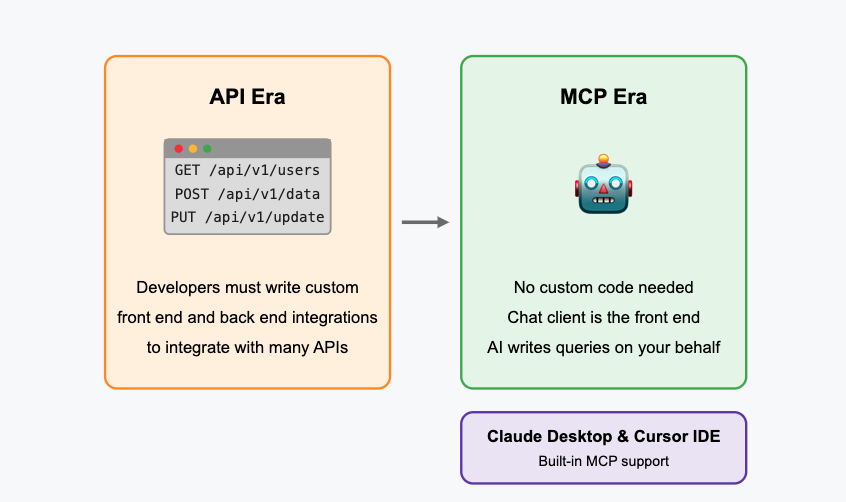
Anthropic launched the open-source MCP (Model Context Protocol) on 11/25/24 and it’s a total game-changer! This kicked off a fundamental shift in how technology connects – similar to how we evolved from physical network connections to APIs, we’re now moving to automatic connections between systems using AI.
Do you prefer to listen instead of read like me? Lucky for you I used NotebookLM to create a podcast out of this post. Listen below:
Think of MCP as a universal translator that lets AI assistants securely pull in info from different sources. With MCPs, you’re no longer writing code to connect systems – you’re just asking for what you need in plain English, and the AI handles the rest. Both Claude Desktop and Cursor IDE now have built-in MCP support, opening up a world of possibilities.
Take something simple like getting the current time in Tokyo. In the Network Era, you’d connect to a time server. In the API Era, you’d write code to call a time API and parse the response. With MCP, you just ask “What’s the time in Tokyo?” and Claude connects to the right service automatically.
Without MCP’s, Claude 3.7 sonnet can’t tell you anything after it’s knowledge training cutoff in ~October 2024. With MCPs, Claude has access to all the world’s data.
Note: I only tested this on OSX. If you try it on Windows, let me know how it goes!
Ready to try it out? Before you dive in:
- Check out Richard Hightower’s tutorial – this made everything click for me
- Grab Claude Desktop or update your existing install
- For JSON config editing, use an AI-assisted IDE like Cursor
- For the fetch MCP, install uv
- Optional: grab Docker Desktop for Puppeteer and other advanced MCPs
Now, open Claude desktop and head to the settings. Under Developer, you should see this info below.
Download Claude Desktop App, go to Claude menu on OSX top menu bar, then select ‘Settings’
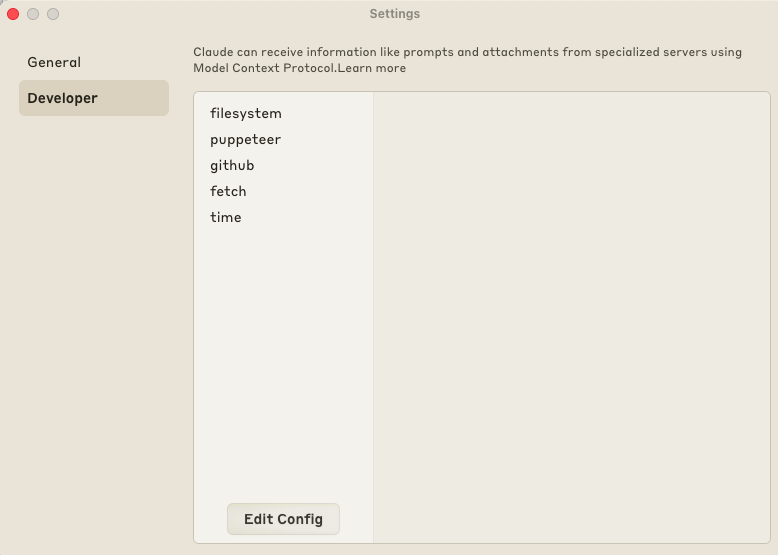
In the Claude Desktop settings section, click on the Developer tab.
On Mac, hit “Edit Config” to locate this file, which is your magical MCP enabler for Claude Desktop:
/Users/YOURNAME/Library/Application Support/Claude/claude_desktop_config.json
Open this claude_desktop_config.json in Cursor. Update your actual OSX username in the paths. The Cursor Agent can help with the edits.
Copy-paste this JSON into your claude_desktop_config.json file to get started with two MCP agents, Fetch and Time.
This is what it looks like editing the claude_desktop_config.json file in Cursor.
Now you need to install the agents using the command line. When available, use the “uv/uvx” approach (way easier than Docker to start). Make sure uv is installed first before you begin. Follow the instructions in each MCP repo linked here.
- Fetch MCP - Grabs web content, converts HTML to markdown for Claude to digest
- Time MCP - Gets current time info, handles timezone conversions
- Check out more official MCPs to go wild
Restart Claude Desktop and you’re ready!
If it worked, you’ll see your available MCP tools:
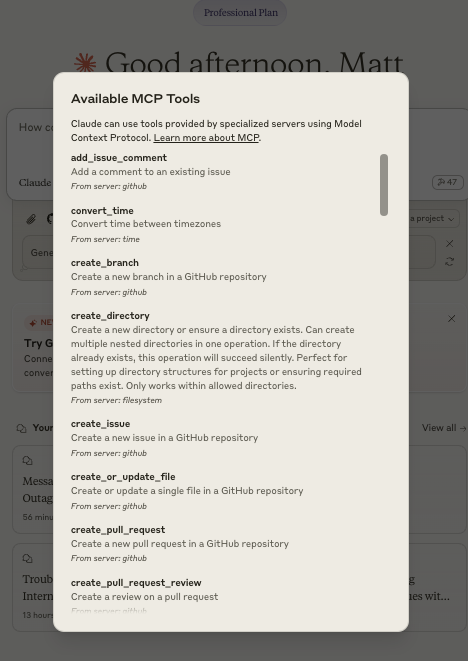
see all of the mcp agent commands recognized by claude desktop.
Let’s try it out! Choose 3.5 Haiku or 3.7 Sonnet and try these queries:
- Use fetch to see the current top headlines on www.drudgereport.com and summarize the most 10 interesting headlines for me.
- What’s the current time in Tokyo?
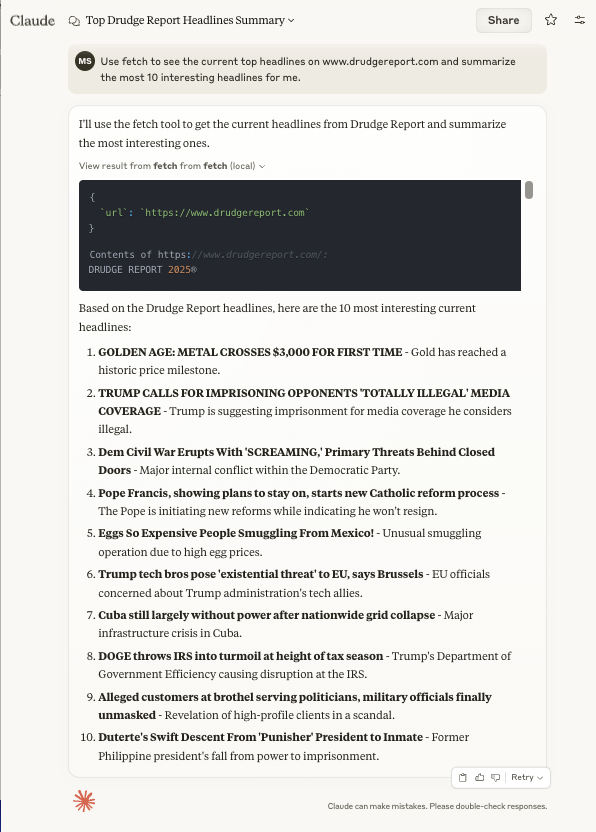
screenshot of claude showing results for: Use fetch to see the current top headlines on www.drudgereport.com and summarize the most 10 interesting headlines for me.
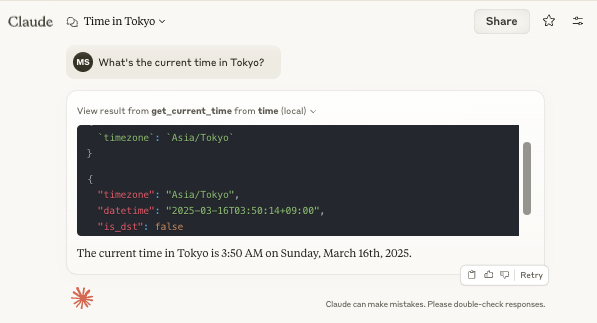
screenshot of claude showing results for: Query: What’s the current time in Tokyo?
Killer Use Cases for MCPs
- Organization Knowledge Base: Create an MCP containing your key company info, database schemas, and codebase details. Instantly give Claude context about your systems!
- Private Data Access: Set up a custom MCP that securely connects to your organization’s internal knowledge without exposing it outside your network.
- Database Superpowers: Add MCPs for Postgres or Snowflake and let Claude generate complex queries with perfect understanding of your schema.
- Multi-source Analysis: Combine datasets from different MCPs - imagine pulling customer data from your CRM while simultaneously analyzing product usage patterns.
- On-the-fly Data Analysis: Use Claude Desktop to query your Snowflake data with natural language, with all context from your business logic included.
- Personal Knowledge Navigator: Create an MCP for your own notes, bookmarks, and resources, turning Claude into your personalized second brain.
Check out the full MCP collection for more awesome tools. I’m just scratching the surface here!
Update 3/31/2025: I have made changes to my MCP setup since posting this. I open-sourced the changes here .
What Makes MCP Revolutionary
The beauty of MCP is that it abstracts away all the complexity of integration. Instead of having to write both client-side and server-side code for each connection (like you would with traditional REST APIs), MCPs handle all the translation between natural language and various data sources.
This opens up data access to non-technical users. A marketing analyst who doesn’t know SQL can now ask questions about customer data. A product manager can request performance metrics without involving engineering. The cognitive load shifts from “how do I connect to this system?” to simply “what do I want to know?”
As more organizations build custom MCPs for their internal systems, we’ll see AI assistants become incredible force multipliers across every department. The barrier between human intention and machine execution is melting away.